




Progressive lenses are available in a wide range of prescriptions and lens materials, making them suitable for everyday vision correction while providing seamless multi-distance visual support.

PROGRESSIVE
Understanding Progressive Lenses
Progressive lenses are multifocal lenses designed to provide seamless vision correction across multiple distances within a single lens. Unlike traditional bifocal lenses, progressive lenses do not have visible dividing lines, allowing for a smoother and more natural visual experience throughout daily activities.
The lens gradually transitions through different viewing zones:Distance Zone (Top): For driving, walking, and viewing distant objects.Intermediate Zone (Middle): Ideal for computer use and mid-range tasks.Near Zone (Bottom): Designed for reading and close-up activities.
Who are Progressive Lenses for?
Presbyopia
For individuals who need support for near vision while maintaining clear distance and intermediate vision.
Everyday Multi-Distance Use
For those who frequently switch between driving, computer work, reading, and other daily visual tasks.
The Benefits
Discover the features of Progressive Lenses

Natural Visual Transition
The smooth progression between viewing zones provides more comfortable vision across different distances.

Line-Free Appearance
Without visible lens lines, progressive lenses maintain the appearance of standard single-vision lenses.

Line-Free Appearance
Without visible lens lines, progressive lenses maintain the appearance of standard single-vision lenses.
Prescription Availability
Tips for First-Time Wearers
Adjusting to progressive lenses may take several days as the eyes and brain adapt to the different viewing zones. Consistent wear can help speed up the adjustment process. Users are encouraged to move their head naturally toward objects they want to focus on to experience the full benefits of the lens design.
How to upgrade your lenses
Browse through our Optical and Sunglasses frame collections and select the one you like.
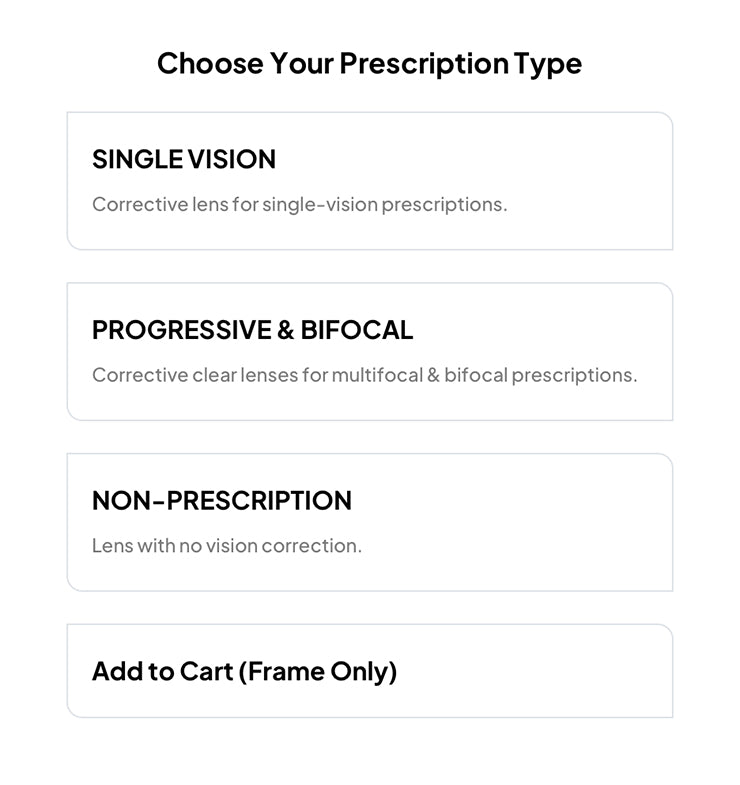
Step 1
Select vision type
We offer various vision types whether you're a single-vision, bifocal, or progressive user.
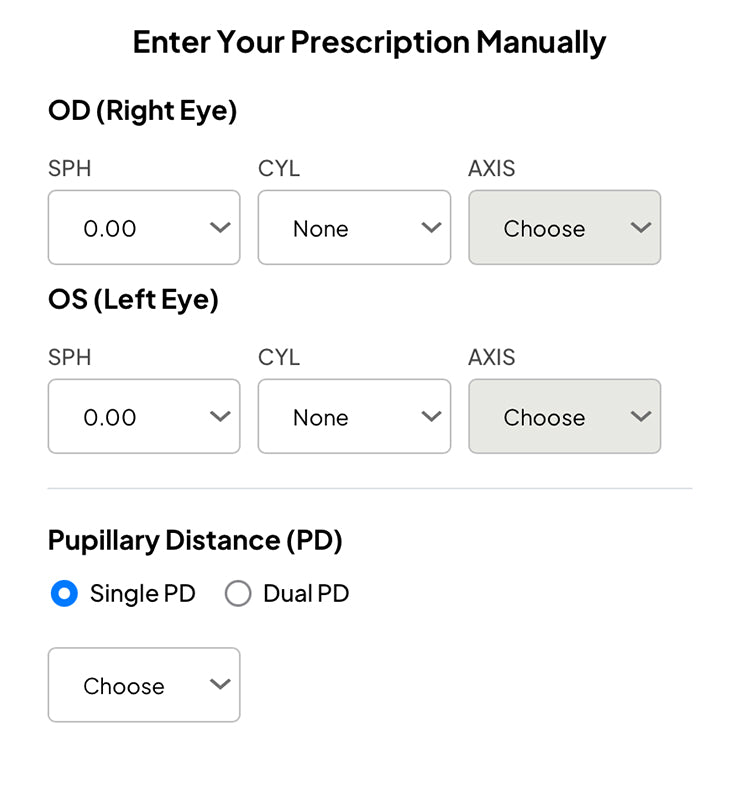
Step 2
Insert your prescription
Grab a copy of your prescription and fill in the spaces provided. If you've shopped with us before, you can access your prescription within your order history.
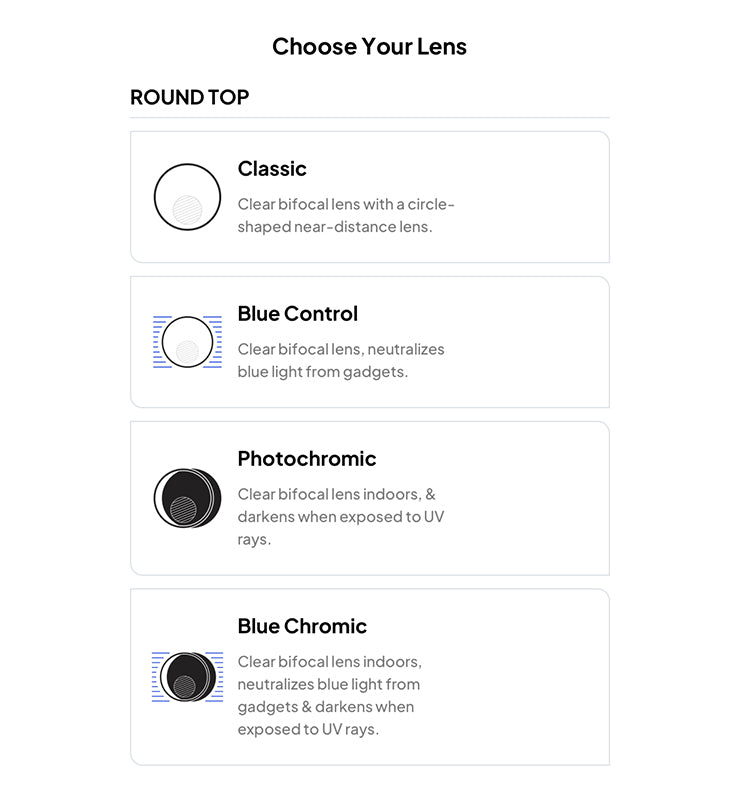
Step 3
Select your lenses
Select the lens that you want and choose the lens variant that matches your prescription range. Click add to cart to proceed.


